After 6,000 years of technological adjustments in home security, front door security has almost completely changed from the traditional key-and-cylinder systems. Advances in smart lock technology now give homeowners options to secure and access their properties through smartphones, keypads, biometric credentials, and connected home platforms.
As electronically connected homes become the order of the day, many properties are getting into the smart lock trend. So, what is a smart lock? And how does it differ from a conventional deadbolt?
Modern smart locks can unlock doors through a mobile application, a personalized access code, a fingerprint scan, or an automated routine connected to other devices within the home. Some door hardware have locking models that still have that familiar traditional keyway, whereas others are entirely electronic.
The variety of door security options means you can select a solution that matches their security goals, lifestyle requirements, and architectural preferences. This article will explain how smart locks work, the different connectivity options available today, and the factors worth evaluating before selecting a system for your home.
What Is a Smart Lock?
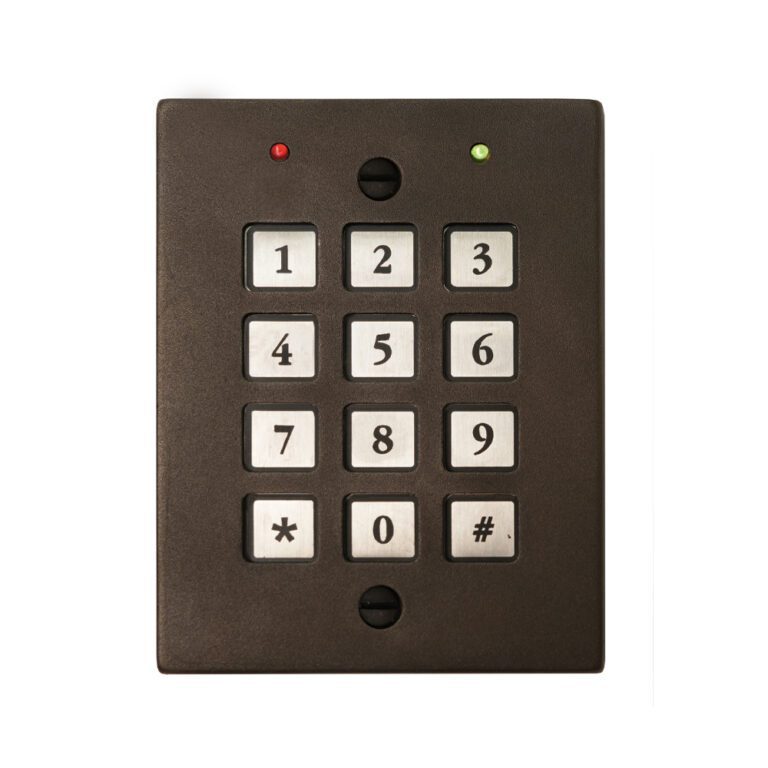
A smart lock is an electronic locking system that allows authorized users to secure and access a door through digital credentials instead of relying exclusively on a physical key. Depending on the model, access may occur through a smartphone application, keypad code, fingerprint recognition system, key fob, voice assistant, or connected home platform.
Unlike conventional locks that depend solely on mechanical components, smart locks combine physical high-end door hardware with electronic controls. The lock receives an authorized command and activates an internal motor or electronic mechanism that engages or disengages the deadbolt.
There is a broad category of connected entry systems that provide greater flexibility in how doors are accessed and managed. Some smart locks replace an existing deadbolt completely. Others integrate with traditional lock hardware or operate discreetly behind the door, preserving the appearance of the entryway.
A smart door lock can function as a standalone security device or as part of a larger connected ecosystem. Many homeowners integrate smart locks with lighting controls, security cameras, alarm systems, and automation platforms that coordinate multiple functions throughout the property.
At its core, a smart lock performs the same fundamental task as a traditional lock: securing the door. The difference lies in how access is granted, monitored, and managed.
How Does a Smart Lock Work?
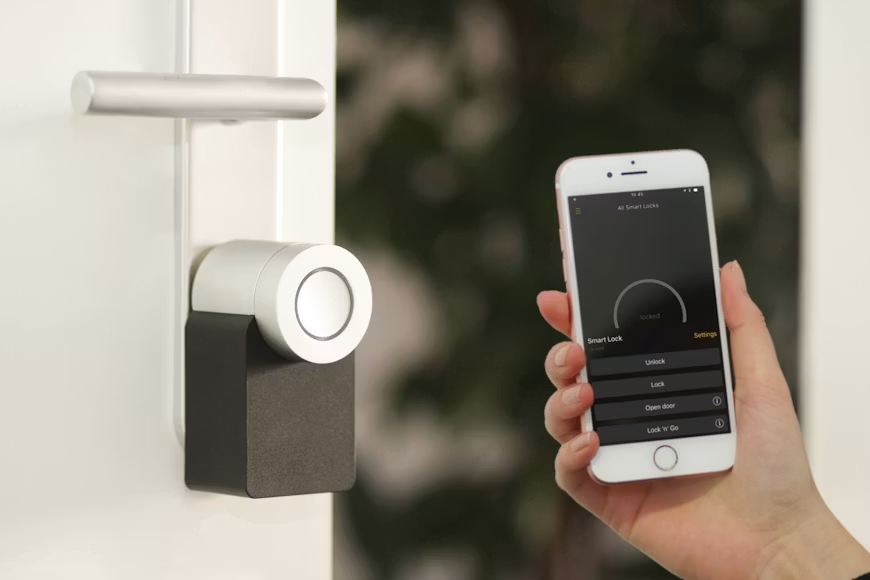
In most cases, smart locks are graded by looking at the relationship between the lock’s electronic components and its physical locking mechanism. Although different manufacturers add their unique touches, most smart locks are made through a similar process. An authorized user sends a credential, the lock verifies that credential, and an internal motor activates the deadbolt or latch.
The system is made up of hardware, software, encryption protocols, and communication technologies to manage access securely. Depending on the lock’s capabilities, communication may occur through Bluetooth, Wi-Fi, a keypad interface, biometric sensors, or connected home networks.
How Smart Locks Communicate With Your Devices and Lock Mechanism
Smart locks use electronic communication to receive instructions and verify access requests. When a user opens a smartphone application, enters a keypad code, or presents a recognized credential, the lock receives that information and evaluates it against stored permissions.
Once authorization is confirmed, the lock’s internal motor moves the deadbolt or locking mechanism into the unlocked position. The same process occurs when the lock is secured again.
Communication methods vary by product. Bluetooth-enabled locks communicate directly with nearby devices. Wi-Fi-enabled systems communicate through the internet, allowing remote access from virtually any location. Other locks tap into dedicated smart home protocols that connect devices through a central hub.
Electronic functionality controls access, but the deadbolt, strike plate, door construction, and installation quality continue to influence the overall security of the entry.
How Smart Locks Recognize Authorized Users
Many systems recognize users through smartphone credentials stored inside a mobile application. Others verify access through unique keypad codes assigned to individual users. Biometric models compare fingerprint scans against stored records before unlocking the door.
Advanced systems may support several credential types simultaneously. A homeowner might unlock the door through a smartphone application, assign a temporary keypad code to a guest, and use fingerprint recognition for everyday access.
Some smart locks also support digital keys that can be shared electronically. These credentials can include restrictions such as scheduled access windows, expiration dates, or recurring permissions.
This flexibility is one reason many homeowners prefer learning how to use smart lock systems to traditional key management. Lost keys, duplicate keys, and rekeying services are less of a concern for smart lock door users since they digitally manage access permissions.
Are Smart Locks Safe?
Modern smart locks use encryption protocols designed to protect communications between devices and prevent unauthorized access attempts. Reputable manufacturers regularly update software and firmware to address vulnerabilities and strengthen security protections.
Moreover, they provide security advantages like activity logs to track entry events, notifications alerting homeowners when doors are accessed, and the choice to revoke access permissions immediately if a credential is compromised.
Strong passwords, updated software, secure wireless networks, and quality installation practices all influence overall system protection, but the physical lock is equally important. A high-quality deadbolt installed within a properly reinforced door assembly is a strong foundation for electronic security features.
Types of Smart Locks and Connectivity Options
The smart lock market includes several categories of products, each developed for different installation requirements, security preferences, and connected home environments. Let’s discuss some of the options we see today below:
Bluetooth Smart Locks
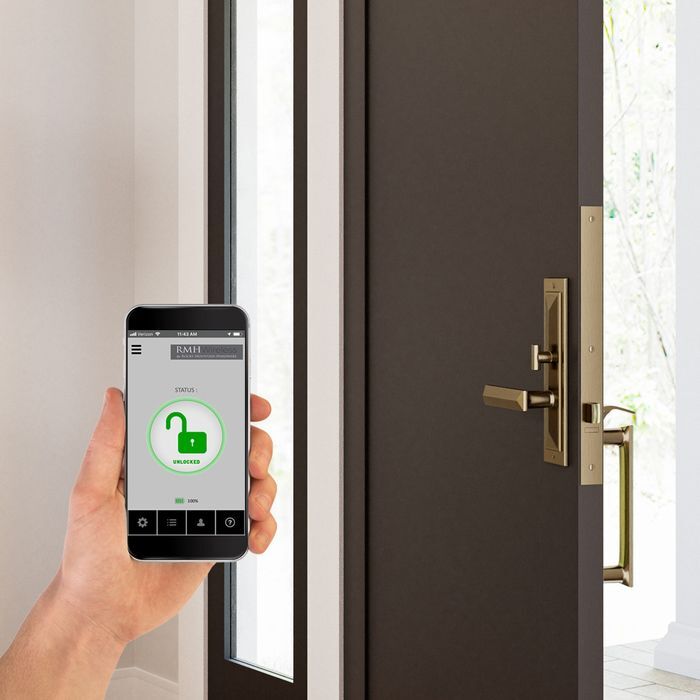
Bluetooth smart locks like the Smart Entry Mortise Lock communicate directly with nearby devices through short-range wireless connections. Homes love them because these systems consume relatively little power and do not require continuous internet connectivity. Users can unlock the door through a smartphone application when they are within range of the lock.
Wi-Fi Smart Locks
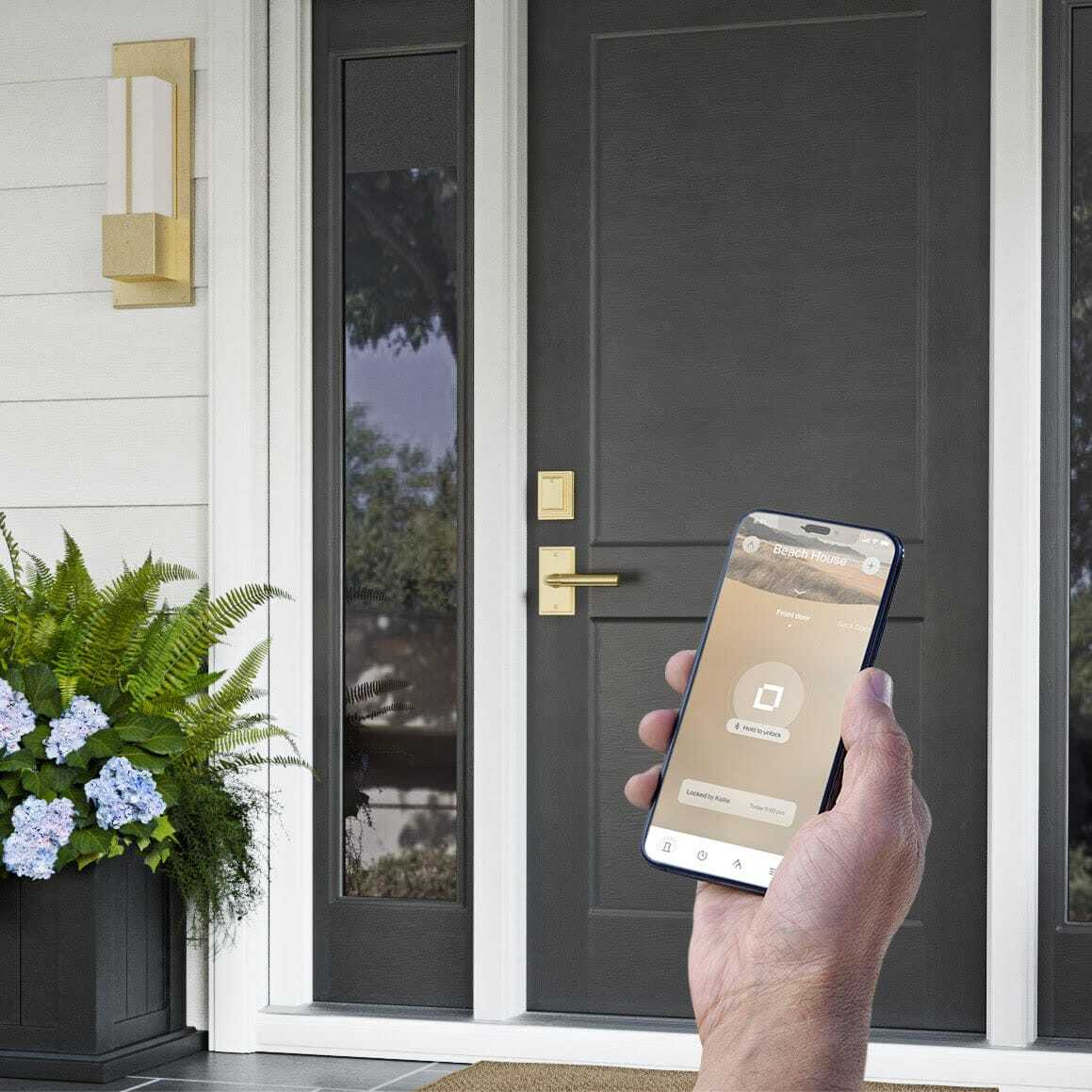
Wi-Fi smart locks connect directly to a home’s wireless network, allowing the homeowner to remotely operate the door through internet-connected devices. This connectivity gives homeowners the ability to lock or unlock doors remotely, review activity history, receive notifications, and manage access permissions even when away from the property.
Remote access is best for vacation homes, rental properties, and households with frequent visitors.
Keypad Smart Locks
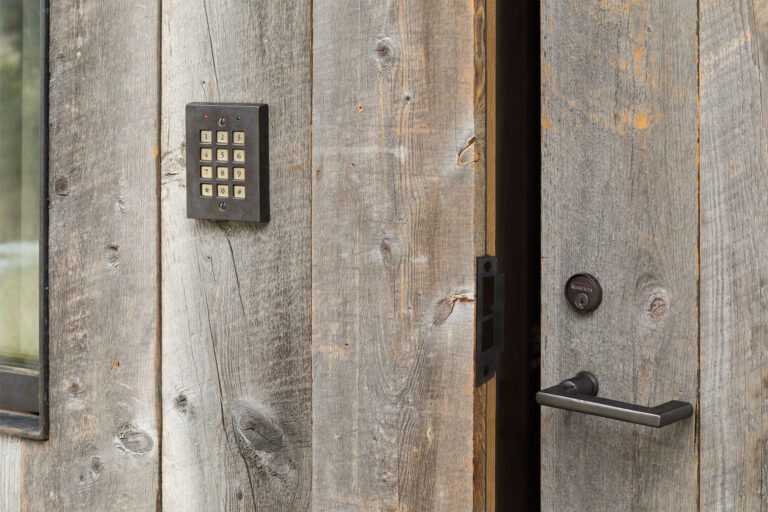
Keypad smart locks grant access through personalized numeric codes entered directly into the lock. They eliminate the need for physical keys and can support several user codes. Temporary codes can be created for guests, service providers, or family members, then removed when access is no longer required.
Biometric Smart Locks
Biometric smart locks verify users through unique biological characteristics, most commonly fingerprint recognition. The technology compares a scanned fingerprint against stored credentials before unlocking the door. Since fingerprints are unique to each individual, biometric systems are among the top personalized security options.
Smart Locks Integrated With Smart Home Systems
Some smart locks are synced with the larger connected home ecosystem and can communicate with lighting controls, security systems, cameras, voice assistants, and automation platforms. A single routine might unlock the front door, activate interior lighting, and adjust climate settings when a homeowner walks in.
Retrofit and Invisible Smart Locks
Retrofit smart locks install onto existing deadbolts, allowing homeowners to upgrade functionality without replacing exterior hardware.
In a much different capacity, invisible smart locks conceal the technology inside the door or hardware assembly, preserving the visual character of the entry. This category is particularly attractive in luxury residential design where architectural continuity and material quality are the essence of the property.
Here’s a summary of the types of smart locks:
| Smart Lock Type | Primary Access Method | Remote Access | Installation Complexity | Typical Use Case |
| Bluetooth | Smartphone | Limited | Low | Everyday residential access |
| Wi-Fi | Smartphone App | Yes | Moderate | Remote management |
| Keypad | Access Code | Mostly Available | Moderate | Family and guest access |
| Biometric | Fingerprint | Mostly Available | Moderate | Personalized security |
| Smart Home Integrated | Phone, Codes, Biometrics | Yes | Moderate to High | Connected homes |
| Retrofit | Deadbolts | Varies from Home to Home | Low | Upgrading existing hardware |
| Invisible Smart Lock | Hidden Electronic System | Yes | Moderate to High | Luxury architectural applications |
Key Features of Modern Smart Locks
The capabilities of smart locks today have made it much easier for homeowners by having accessible management tools and better control over how their property is accessed. There are several features in smart locks that are quite fascinating; here are the most discussed ones:
Keyless Entry
Keyless entry is the first feature you might be thinking about when it comes to smart lock technology. Instead of carrying a physical key, users gain access through digital credentials such as smartphone applications, keypads, fingerprints, or proximity-based authentication. This simplifies everyday entry and reduces the dependency on traditional keys.
Remote Locking and Unlocking
Remote access allows homeowners to control door locks through an internet-connected device. If a family member arrives home unexpectedly or a service provider requires access, the door can be unlocked remotely through the associated application. Homeowners can also verify that doors are secured after leaving the property.
Temporary Access and Virtual Keys
Digital credentials grant temporary access permissions that can be issued for guests, contractors, property managers, or delivery services. Permissions can expire automatically after a designated period or follow a predefined schedule. This capability simplifies access management and reduces the need to distribute physical keys.
Activity Monitoring and Notifications
Many smart locks maintain activity records showing when doors were locked, unlocked, or accessed. Real-time notifications can alert homeowners when specific users enter the property or when unusual activity occurs.
Auto-Lock and Automation Features
Automation capabilities allow smart locks to perform actions based on predefined conditions. A lock may secure itself automatically after a set period, engage when occupants leave the property, or coordinate with connected devices through home automation routines. These features help reduce the likelihood of doors being left unsecured and support a more seamless connected home experience.
Smart Locks vs. Traditional Locks: Which Is Right for Your Home?
Both smart locks and traditional locks are capable of securing entry points effectively when made with high-quality hardware and proper installation. The primary difference is in the access management, monitoring capabilities, and connectivity.
If you are stuck trying to decide between the two, consider your daily routines, security goals, property type, and desired level of convenience.
| Feature | Smart Lock | Traditional Lock |
| Physical Key Required | Optional on the majority of models | Yes |
| Remote Access | Yes for supported models | No |
| Tracking Activity | Yes | No |
| Temporary Access Codes | Yes | No |
| Smartphone Control | Yes | No |
| Home Automation Integration | Yes | No |
| Battery Dependence | Yes | No |
| Mechanical Simplicity | Lower | Very technical |
Convenience and Access Management
One of the strongest advantages of smart locks is access management. Homeowners can issue temporary credentials, update permissions instantly, monitor access activity, and unlock doors through several methods. This flexibility is quite useful for households with children, guests, property managers, or service providers.
Traditional locks are lauded for their simplicity, but lack the ability to modify access permissions digitally.
Security Differences
Both lock types can provide strong protection when paired with quality hardware. Smart locks have advantages like notifications, activity logs, and remote monitoring. Traditional locks are more reliant on physical security measures.
The security of any system depends on several factors, including hardware quality, installation standards, credential management, and maintenance practices.
Smart Lock Pros and Cons
The appeal of smart lock technology comes from greater control over access, improved visibility into entry activity, and the ability to manage security remotely. At the same time, electronic systems harbour considerations that do not exist with purely mechanical locks. Some of the advantages of having a smart lock include:
Smart Lock Pros
Keyless Convenience
One of the most obvious advantages of a smart lock is eliminating the need to carry physical keys. Homeowners can enter through a smartphone, keypad code, fingerprint scan, or another authorized credential. This reduces the likelihood of lockouts caused by forgotten or misplaced keys and simplifies everyday access for family members.
Remote Management Capabilities
Many smart locks allow homeowners to lock or unlock doors from virtually anywhere through a connected application. If a family member arrives home unexpectedly, a contractor needs access during the workday, or a homeowner wants to confirm that an entry door is secured after leaving, remote management provides immediate control.
Temporary Digital Credentials
Traditional locks require physical key duplication when temporary access is needed. Smart locks can issue unique access codes or digital credentials that expire automatically after a designated period. This functionality is particularly useful for guests, vacation rental occupants, house sitters, cleaning services, and maintenance professionals.
Limitations of Smart Locks
Battery Maintenance Requirements
Unlike traditional mechanical locks, smart locks rely on battery power. Although battery life often extends for several months or longer, homeowners must monitor power levels and replace batteries periodically. Most systems provide advance warnings before batteries reach critically low levels.
Software and Firmware Updates
Manufacturers periodically release updates that improve performance, introduce new features, or strengthen security protections. Keeping software current is part of maintaining a connected device and requires occasional attention from the homeowner.
Higher Initial Investment
Smart locks like the Bluetooth Level Bolt generally cost more than basic mechanical deadbolts due to their electronic components, connectivity features, and advanced functionality. For many homeowners, the additional convenience and access management capabilities justify the investment, though budget considerations remain an important factor during the selection process.
Who Benefits Most From a Smart Lock?
Connected Homes
Homeowners who already use smart lighting, security cameras, alarm systems, voice assistants, or automation platforms often find that smart locks integrate naturally into their existing ecosystem. The lock can become part of coordinated routines that manage devices in the property.
Vacation and Secondary Properties
Remote access capabilities provide significant advantages for owners of vacation homes and secondary residences. Doors can be locked, unlocked, and monitored from another city or state, reducing the need for physical key exchanges and providing greater visibility into property access.
Rental Properties and Short-Term Accommodations
Property owners managing rental units can issue temporary access credentials for incoming guests and remove access automatically when reservations end. This process simplifies turnover between occupants and eliminates many of the logistical crises of physical key distribution.
Families
Households with children, relatives, caregivers, or frequent visitors would love digital access management. Individual codes can be assigned to different users, allowing homeowners to monitor entry activity and manage permissions as household needs change.
Homeowners Who Travel Frequently
People who spend extended periods away from home appreciate the ability to monitor and manage entry points remotely. Smart locks provide reassurance that doors are secured and allow authorized individuals to gain access when necessary.
When a Traditional Lock May Still Be Enough
A traditional lock may satisfy the needs of homeowners who prefer a more direct mechanical operation and have limited interest in connected technology. For some properties, a high-quality mechanical deadbolt paired with premium architectural hardware provides exactly the level of security and functionality required.
How to Use a Smart Lock
Smart lock systems may have a lot of technical jargon behind them, but the truth is they aren’t as complicated as most of us think. In reality, most modern systems are designed around simple setup processes and intuitive controls.
Setting Up Your Smart Lock
Installation requirements depend on the smart lock’s manufacturer and lock type. Most systems begin with physical installation, followed by pairing the lock with a smartphone application or connected home platform.
During setup, homeowners create administrative credentials and configure access preferences. Some products also guide users through calibration procedures for a smooth deadbolt operation.
Adding, Removing, and Updating Access Permissions
One of the most practical features of smart lock technology is credential management.
Users can create individual access profiles, assign keypad codes, share digital keys, and revoke permissions when circumstances change. Access schedules can also be configured to restrict entry during designated time periods.
This level of control simplifies household management and guest access.
Using a Smart Lock With Connected Home Devices
Many smart locks support integration with broader home automation systems.
A connected routine might lock all exterior doors at night, activate security cameras when occupants leave, or unlock an entry door alongside selected lighting scenes when residents arrive home.
As connected ecosystems continue to expand, smart locks often serve as a central component within broader home security and automation strategies.
Smart Locks in Luxury Home Design
Technology is only one part of a successful entry experience. In luxury homes, architectural hardware, craftsmanship, and material quality are equally significant considerations. The best smart lock installations have both modern functionality and an exceptional design.
Why Entry Hardware Matters in a Connected Home
The front door is the first impression of a home that visitors encounter. Even the most advanced electronic system may seem out of place if the hardware lacks architectural consistency with the home’s design language. Entry hardware should complement surrounding materials, proportions, and craftsmanship standards.
Combining Smart Technology With Handcrafted Bronze Hardware
Many homeowners assume electronic security requires sacrificing premium materials or custom hardware aesthetics. The smart lock solutions we have now merge advanced technology with handcrafted bronze hardware, preserving the visual richness associated with luxury residential design.
Bronze has substantial durability, dimensional texture, and a natural aging process that develops character through use and environmental exposure.
Invisible Smart Locks: Technology Hidden Inside Solid Bronze
One of the most compelling developments in smart lock technology is the rise of concealed electronic systems. Invisible smart locks place advanced functionality behind the scenes, allowing homeowners to enjoy connected security features without visible electronic components dominating the door’s appearance.
Finishes, Configurations, and Made-to-Order Options
Luxury projects require hardware tailored to a house’s specific architectural requirements. Custom finishes, specialized configurations, coordinated hardware collections, and made-to-order solutions allow electronic security systems to integrate naturally into the overall design vision.
Material consistency in handlesets, deadbolts, door pulls, and accessory hardware creates a cohesive appearance throughout the property.
Rocky Mountain Hardware Smart Lock Solutions
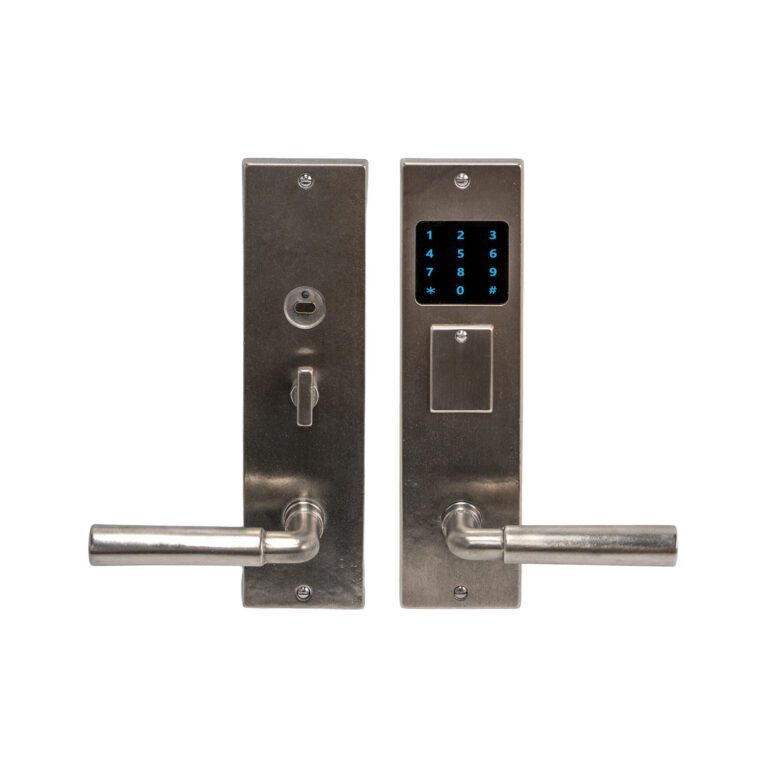
At Rocky Mountain Hardware, we have a catalogue of smart lock selections manufactured through premium craftsmanship with modern electronic security features.
Our electronic lock collection includes solutions such as the Bluetooth Smart Deadbolt, Keypad Entry System, and Inox Smart Dead Bolt, all suitable for homeowners to incorporate connected access management into handcrafted bronze hardware programs.
Choosing Smart Lock Technology That Fits Your Home
Choosing the right smart lock begins with determining how the technology fits into your daily routine.
Bluetooth systems suit homeowners who want the easiest way to locally access the door. Wi-Fi-enabled locks support remote management and monitoring. Keypad models simplify guest access, and biometric systems provide personalized authentication. Integrated smart home solutions create broader automation opportunities.
The ideal solution depends on the home’s architecture, security priorities, household routines, and desired level of connectivity. A well-selected smart lock can simplify access management, provide greater visibility into entry activity, and support a connected home experience that complements modern living.
Frequently Asked Questions
Can You Still Use a Key With a Smart Lock?
Yes, you can still use a key with a smart lock. Some smart locks include a traditional key cylinder as a backup entry method. Other designs exclusively leverage electronic credentials, so functionality varies by model.
Do Smart Locks Work if the Power Goes Out?
Yes, smart locks can work if the power goes out, as most residential locks use internal batteries instead of household electrical power. A power outage generally will not affect lock operation. Many systems provide low-battery alerts before a replacement is required.
Can Smart Locks Be Hacked?
Yes, like any digitally connected device, smart locks can face cybersecurity risks. Reputable manufacturers use encryption, authentication protocols, and firmware updates to improve its security.
Do Smart Locks Require Wi-Fi?
No. Many smart locks may work through Bluetooth or other local communication methods. Wi-Fi primarily enables remote access and internet-based management features.
How Long Do Smart Lock Batteries Last?
Battery life varies according to lock model, usage frequency, connectivity type, and environmental conditions. Most residential smart locks operate for several months before battery replacement is necessary, and notify the owner when battery levels become low.